
Free to try, easy to integrate! SenseNova U1.5 Lite is now available through the Token Plan
Thanks to the trust and support of developers and users worldwide, the average daily Token usage of the SenseTime SenseNova Token Plan has surpassed 500 billion, marking a new milestone in the growth of its ecosystem!
To continue giving back to developers and users around the world, the next-generation image creation model SenseNova U1.5 Lite is now officially available through the SenseNova Token Plan, empowering more innovative use cases with greater convenience and efficiency.
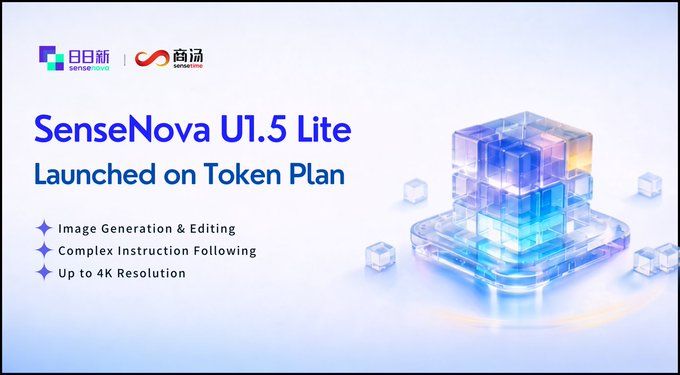
Built on the Neo-unify unified architecture, SenseNova U1.5 Lite integrates image generation and editing in a single model, with native support for long-form instruction following and 4K high-resolution output. It delivers performance comparable to leading commercial models in both high-quality image generation and complex image-editing scenarios. We will also provide free quotas during the public beta:
- Try it now: Visit the SenseNova console on the official SenseTime website at https://platform.sensenova.cn to obtain an API Key!
- Free quota: 1,500 requests every 5 hours, completely free during the public beta!
- Model ID: sensenova-u1.5-lite
- Documentation: https://platform.sensenova.cn/docs
Key Highlights
- Integrated generation and editing:A single model breaks down the boundary between generation and editing, enabling both precise text-to-image generation and pixel-level adjustments based on reference images. One model supports the entire creative workflow.
- Precise reference-image guidance:The editing API supports reference images, making it easy to handle advanced image-editing scenarios such as image-to-image generation, localized redraws, style transfer, identity preservation and element replacement.
- Automatic prompt optimization:The built-in prompt_extend engine automatically refines and expands users' input descriptions when enabled, significantly enhancing image detail and aesthetic quality.
- 4K ultra-high-resolution output:Supports ultra-high resolutions of up to 4096×4096, with a range of aspect ratios including 1:1, 16:9, 9:16, 2:3 and 3:2.
- Free, watermark-free public beta:Set watermark=false during the public beta to generate high-resolution original images without watermarks for free!
Quick Start and Configuration Guide
1. Start making API calls in three steps
Step 1: Register an account and apply for an API Key
1. Visit the SenseNova platform, register and complete account verification.
2. Go to Console → API Keys and create an API Key beginning with sk-.
3. Store the Key securely. All subsequent API requests must include it in the request header.
Step 2: Configure the Base URL and Model ID
U1.5 Lite is compatible with the OpenAI image API specification. The core configuration is as follows:
Base URL: https://token.sensenova.cn/v1
Model ID: sensenova-u1.5-lite
Headers: Authorization: Bearer <YOUR_API_KEY>
Step 3: Call the API
1. Text-to-Image Example
Generate an image from a text description using the /v1/images/generations endpoint.
cURL Example: Text-to-Image
curl https://token.sensenova.cn/v1/images/generations \ -H "Authorization: Bearer $SENSENOVA_API_KEY" \ -H "Content-Type: application/json" \ -d '{ "model": "sensenova-u1.5-lite", "prompt": "A baby sea otter floating on a calm sea surface, soft morning light, realistic photography style", "n": 1, "size": }'Key parameters:
- prompt: The image description text (required); supports parsing of very long text.
- size: The image dimensions. Supports 2K/4K constants. The width and height must be multiples of 32, with a range of 512–4096 and a maximum aspect ratio of 3:1 or 1:3.
- watermark: Specifies whether to add a watermark. Set to false for no watermark (free during the public beta).
- prompt_extend: Enables automatic prompt optimization. The default is true.
response_format: url returns a temporary link valid for 24 hours; b64_json returns Base64-encoded data.
2. Image Editing Example
Pass in a reference image and editing instructions to perform image-to-image generation or image rewriting using the /v1/images/edits endpoint.
cURL Example: Image Editing
curl https://token.sensenova.cn/v1/images/edits \ -H "Authorization: Bearer $SENSENOVA_API_KEY" \ -H "Content-Type: application/json" \ -d '{ "model": "sensenova-u1.5-lite", "images": [{"image_url": "https://example.com/source.png"}], "prompt": "Change the background to a snowy mountain, keep the person unchanged", "n": 1, "size": "auto", "watermark": true, "prompt_extend": true, "response_format": "url" }'Usage tips:
- The images parameter is required for the image editing API. It supports publicly accessible HTTP/HTTPS URLs or Base64 Data URLs (data:image/png;base64,xxx). Plain Base64 strings without a prefix are not supported.
- The image URL returned by the API is temporary and expires after 24 hours. Please download and save the image promptly.
watermark=false image generation without a watermark is currently available as a free public beta. Once it becomes a paid feature, adjust this setting as needed.
II. Integrating U1.5 Lite into Agent and Skill Frameworks
As a multimodal image-generation model, SenseNova U1.5 Lite cannot be configured directly as a Chat Model in tools such as Cursor, Cline, and Claude Code. It must be integrated through environment variables and a custom Tool or Skill.
Method 1: Configure environment variables and call the API from a custom Skill
Suitable for OpenClaw, Hermes Agent, LangChain, and custom Agent frameworks:
Step 1: Set the environment variables
export SENSENOVA_API_KEY="sk-你的APIKey" export SENSENOVA_BASE_URL="https://token.sensenova.cn/v1" export SENSENOVA_IMAGE_MODEL="sensenova-u1.5-lite"
Step 2: Call the image-generation API from a custom Skill (Python example)
import os
import requests
def generate_image(prompt: str, size: str = "1024x1024", watermark: bool = True) -> str:
"""Call the SenseNova U1.5 Lite text-to-image API"""
base_url = os.getenv("SENSENOVA_BASE_URL", "https://token.sensenova.cn/v1")
api_key = os.getenv("SENSENOVA_API_KEY")
model = os.getenv("SENSENOVA_IMAGE_MODEL", "sensenova-u1.5-lite")
resp = requests.post(
f"{base_url}/images/generations",
headers={
"Authorization": f"Bearer {api_key}",
"Content-Type": "application/json",
},
json={
"model": model,
"prompt": prompt,
"size": size,
"watermark": watermark,
"prompt_extend": True,
"response_format": "url",
},
)
resp.raise_for_status()
return resp.json()["data"][0]["url"]
# Example call
image_url = generate_image("Cyberpunk-style city night scene, neon lights, wet streets after rain")
print(f"Generated image URL: {image_url}")
Note: The wrapper for reference-image editing works similarly: change the endpoint path to /images/edits and pass the images parameter.
Method 2: Integrate with the OpenClaw framework
Step 1: Complete the basic OpenClaw configuration
Follow the official OpenClaw documentation at https://openclaw.ai/ to complete the installation and onboarding process. In the model configuration, select Custom Provider and enter:
API Base URL: https://token.sensenova.cn/v1
API Key: Your SenseNova API key
Model ID: For the conversational model, you can select sensenova-6.8-flash-lite (U1.5 Lite is only responsible for generating tool calls and is not used as the conversational model).
Step 2: Create a custom image-generation skill
Create a new Skill in OpenClaw's Skills directory, define a generate_image tool, and have it call the U1.5 Lite /v1/images/generations endpoint internally. When the Agent encounters an image-generation request in a conversation, it will automatically call this tool.
Approach 3: Integrate with Other Agent Frameworks
For frameworks such as Hermes Agent, LangChain, and AutoGPT, the integration process is similar:
1. Set SENSENOVA_API_KEY and SENSENOVA_BASE_URL as environment variables.
2. Define a custom Tool / Function (such as sensenova_generate_image), with the description: "Generate images from text descriptions using the SenseNova U1.5 Lite model."
3. Inside the Tool, send an HTTP request to https://token.sensenova.cn/v1/images/generations, passing parameters such as model, prompt, and size.
4. If image-editing capabilities are required, also define a sensenova_edit_image Tool that calls the /v1/images/edits endpoint.
Pre-Launch Configuration Checklist
- The SENSENOVA_API_KEY environment variable is set
- The Base URL ends with /v1 (for example: https://token.sensenova.cn/v1)
- The Model ID is confirmed as sensenova-u1.5-lite
- Image-generation and editing features correctly call the /images/generations or /images/edits endpoint, rather than the /chat/completions conversation endpoint
The image URL provided to the reference-image editing endpoint is publicly accessible
Unleash unlimited creativity and get started today! Visit the official SenseNova website by SenseTime https://platform.sensenova.cn Sign up to claim your free quota and use SenseNova U1.5 Lite to create your next stunning work!